From Script to Screen: How to Break Down a Scene in 30 Minutes
You've got your script. Now what? Learn the exact process professional filmmakers use to transform a script page into a shootable shot list—in just 30 minutes.
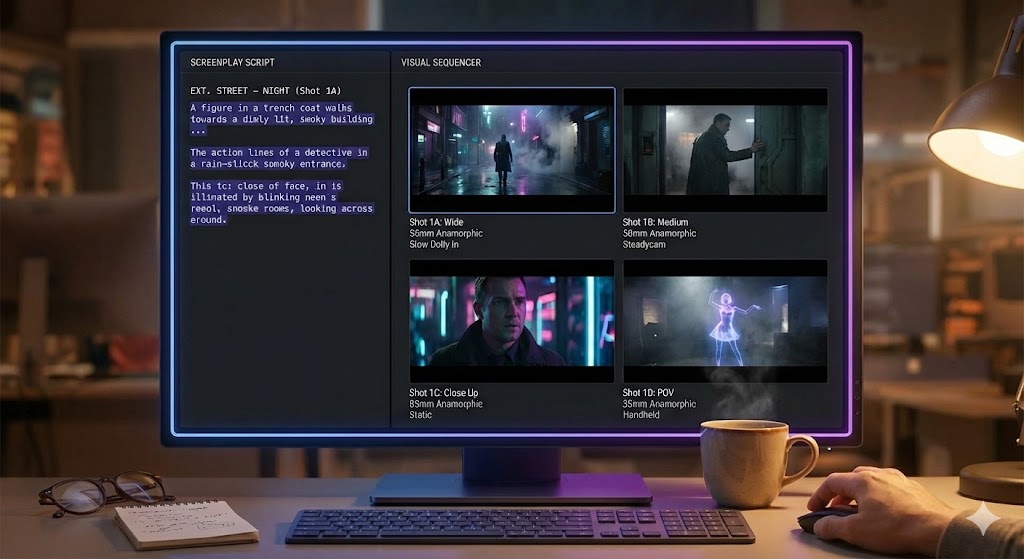
Introduction: The Script-to-Shot-List Problem
Every filmmaker faces the same intimidating moment: staring at a script page, knowing they need to shoot it, but not sure exactly how. You know the scene works on paper, but translating those words into camera setups, angles, and a shooting schedule? That's where most indie filmmakers get stuck.
Here's the truth: professional productions don't wing it. They use a systematic process called "script breakdown" to turn every script page into a detailed shot list. And with the right approach, you can do this in 30 minutes per scene.
- How to "line" your script like a professional 1st AD
- The three-tier coverage system used on every film set
- How to calculate shooting time and create a realistic schedule
- How modern tools like ShotList.Studio accelerate this entire workflow
Let's walk through a real example. We'll take this scene from an indie drama and break it down together:
scene_01.fountain
  1   INT. COFFEE SHOP - DAY
  2
  3   SARAH (30s, tired eyes) pushes through the
  4   door, scanning the crowded room.
  5
  6   Morning light streams through tall windows,
  7   creating dramatic shadows across the marble
  8   floor.
  9
 10   She spots MARCUS (40s, suited) at a corner
 11   table. Their eyes meet. He looks away.
 12
 13                     SARAH
 14               (under her breath)
 15         Of course he's here.
Step 1: Lining the Script
Identifying the visual beats (10 minutes)
What is "Lining" a Script?
"Lining" (also called "script markup") is the process of identifying every distinct visual action in your scene. Think of it as breaking the scene into bite-sized visual moments that each need a camera angle.
Professional Assistant Directors use colored pencils and draw lines in the script margins. You can do this digitally or on paper—what matters is the thinking process.
The Three Things to Mark:
1. Character Entrances/Exits
Mark: "Sarah enters," "walks toward him"
Why: These require dedicated shots (often master shots or mediums)
2. Reactions & Looks
Mark: "Their eyes meet," "He looks away," "She takes a breath"
Why: These are your close-ups and inserts
3. Important Objects or Environment
Mark: "Morning light streams," "dramatic shadows"
Why: These are your establishing shots and b-roll
Our Scene Breakdown:
- Beat 1: Sarah enters coffee shop
- Beat 2: Morning light through windows (establishing mood)
- Beat 3: Sarah scans the room (her POV)
- Beat 4: She spots Marcus at table
- Beat 5: Eye contact moment
- Beat 6: Marcus looks away (his reaction)
- Beat 7: Sarah's internal moment ("Of course he's here")
- Beat 8: She walks toward him
A good rule of thumb: If you'd naturally cut to a different angle when watching this scene, it's a new beat. Trust your viewer instinct.
Step 2: Deciding on Coverage
The three-tier system (15 minutes)
Now that you've identified the visual beats, you need to decide how to shoot each one. This is where the three-tier coverage system comes in—a framework used by every professional DP and director.
The Three Coverage Tiers:
Tier 1: Master Shot (Wide)
Lens: 24mm-35mm • Frame: Full scene geography
Purpose: Establishes where everyone is in the space. This is your safety net—it covers the entire scene in one continuous take.
When to use: Always shoot at least one master. It's your "backup" if nothing else works in the edit.
Shot 1A - Master: Wide shot of entire coffee shop from Sarah's entrance through her walk to Marcus's table. Static camera.
Tier 2: Medium Shots
Lens: 50mm • Frame: Waist-up, 2-3 people max
Purpose: Brings us closer to character performance without losing body language.
When to use: Dialogue scenes, character interactions, movement through space.
Shot 2A - Medium (Sarah): Waist-up of Sarah entering, scanning room. Follows her as she spots Marcus.
Shot 2B - Medium (Marcus): Waist-up of Marcus at table, looking up, making eye contact, looking away.
Tier 3: Close-Ups (CU)
Lens: 85mm+ • Frame: Face/shoulders, details
Purpose: Captures emotional beats, reactions, and important details. This is where performances shine.
When to use: Key emotional moments, dialogue, reactions, inserts of objects.
Shot 3A - CU (Sarah's eyes): Her recognition when she spots Marcus.
Shot 3B - CU (Marcus): His reaction—eye contact then looking away.
Shot 3C - CU (Sarah's breath): Her steeling herself moment before walking.
Special Shots to Consider:
🎬 Over-the-Shoulder (OTS)
Great for conversations. Shows one character's perspective while keeping the other in frame.
Example: OTS of Marcus from Sarah's POV as she walks toward him
👁️ POV Shots
Shows exactly what the character sees. Immersive and subjective.
Example: Sarah's POV scanning the coffee shop
🎨 Insert Shots
Extreme close-ups of objects, hands, details that matter to the story.
Example: Morning light streaming through windows
🚶 Tracking Shots
Camera follows character movement. Adds energy and immersion.
Example: Following Sarah as she walks to the table
For every 1 page of script, plan for 3-5 camera setups. This gives your editor options without overwhelming your shooting schedule. Our 1-page scene = 8 shots total.
Step 3: Creating Your Digital Shot List
Calculate timing and generate schedule (5 minutes)
Here's where most filmmakers get stuck: translating your coverage plan into an actual shootable schedule. How long will each shot take? What order should you shoot them? How many hours do you need?
This is where ShotList.Studio transforms your workflow. Instead of manually calculating times in a spreadsheet, you can input your shots and instantly see:
⏱️ Shooting Time
Automatic calculation based on shot complexity, camera moves, and setup requirements
📋 Shot Grouping
Smart organization by location, actor, and camera setup to minimize crew moves
📊 Day Planning
See exactly what fits in an 8-hour shoot day, with buffer time included
How to Input Your Scene:
Paste Your Script
Copy the scene directly into ShotList.Studio. The AI parser identifies scenes, characters, and suggested camera angles automatically.
Review Suggested Shots
The system suggests shots based on your beats. For our scene, it recommends: 1 Master, 2 Mediums, 3 Close-ups, 2 Inserts.
Customize Shot Details
Add lens choices (24mm, 50mm, 85mm), camera movement (static, dolly, tracking), and special notes for your DP.
Generate Schedule
Click "Calculate Day" and instantly see: Total shoot time (3.5 hours for this scene), optimal shooting order, and a printable call sheet.
Sample Output for Our Scene:
| # | Shot Type | Lens | Movement | Est. Time |
|---|---|---|---|---|
| 1A | Master - Wide Establishing shot |
24mm | Static | 45 min |
| 2A | Medium Shot Sarah enters |
50mm | Tracking | 30 min |
| 2B | Medium Shot Marcus at table |
50mm | Static | 20 min |
| 3A | Close-Up Sarah's recognition |
85mm | Static | 15 min |
| 3B | Close-Up Marcus reaction |
85mm | Static | 15 min |
| 3C | Close-Up Sarah's breath |
85mm | Static | 15 min |
| 4A | Insert Shot Window light detail |
35mm | Static | 20 min |
| 5A | POV Shot Sarah's view |
50mm | Pan | 25 min |
8 shots • Total: 3h 5min
With buffer time and breaks, this scene fits comfortably in a 4-hour shooting block. You can schedule 2 similar scenes per 8-hour day.
Without this calculation, most indie filmmakers overbook their day and rush shots, compromising quality.
Bringing It All Together
Let's recap what we've accomplished in 30 minutes:
✓ Lined Your Script
Identified 8 distinct visual beats that need coverage
✓ Planned Coverage
Applied the 3-tier system: 1 Master + 2 Mediums + 5 Specialty shots
✓ Created a Schedule
3 hours 5 minutes of shooting time, properly organized and sequenced
The Bottom Line
Most indie filmmakers waste hours agonizing over their shot lists—or worse, show up on set without one. By following this three-step system, you can confidently break down any scene in 30 minutes.
And with tools like ShotList.Studio, the process becomes even faster. What used to take half a day of spreadsheet work now happens in minutes, leaving you more time to focus on the creative decisions that actually matter.
Your Next Steps:
📝 Practice with Your Script
Take a scene from your current project and work through Steps 1-3. Time yourself—can you do it in 30 minutes?
🚀 Try ShotList.Studio
Professional AI-powered storyboarding for filmmakers. Plans starting at $49/month.
Get Started →🎬 Related Resources:
- Free Template: Download our shot list spreadsheet template
- Video Tutorial: Watch our breakdown process in real-time
- Shot List Examples: See breakdowns from real indie films
🎥 Ready to Transform Your Pre-Production?
Join 10,000+ filmmakers using ShotList.Studio
Stop spending days on shot lists. Our AI-powered platform turns your script into a professional, production-ready breakdown in minutes—not hours.