Restaging a Scene: What Breaks in Blocking When Something Changes
"Restage" is the word we use for regenerating a scene's blocking after an edit. It's also, without any software involved, the job every AD and director already does the moment a rewrite lands and the staging built around the old draft stops making sense. Here's what actually breaks, and what fixing it properly looks like.
A Word for a Familiar Problem
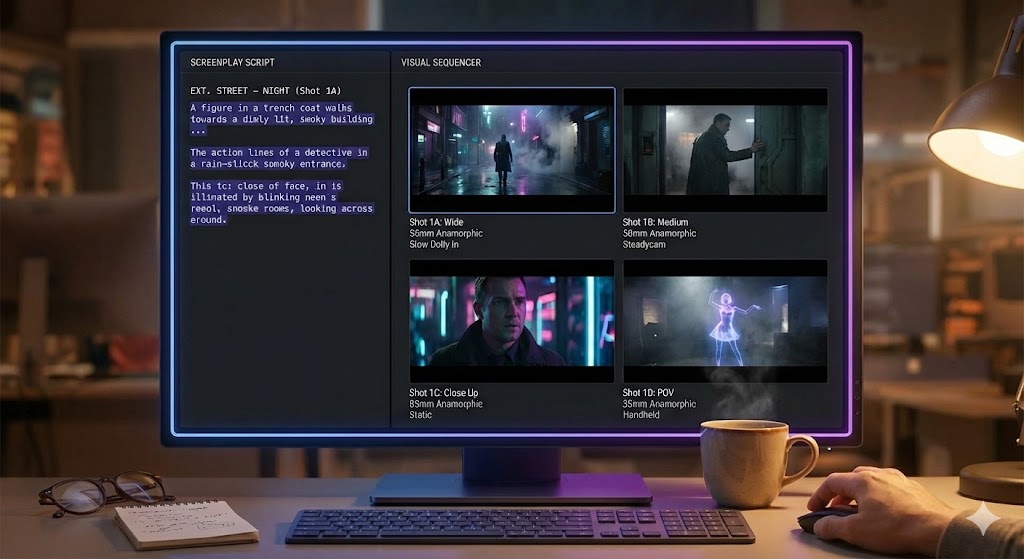
In ShotList.Studio, the button is literally labeled "restage." Change a line, cut a character, move a prop, and the tool regenerates the per-shot blocking — the staging — that used to depend on the version of the scene that no longer exists. It's a small feature. But naming it forced us to think harder about what actually happens when a scene gets reblocked, and the honest answer is that regenerating a diagram is the easy ten percent. The other ninety percent is a craft problem that has nothing to do with software and everything to do with why the blocking existed in the first place.
Every experienced AD has reblocked a scene by hand, on a cold set, with a page revision in one hand and yesterday's blocking notes in the other. A line got cut in the truck on the way to set. A supporting character got written out in a rewrite that landed at midnight. The blocking on the page still says a character crosses to the window, sits, stands, exits — and that whole sequence of moves was built to serve dialogue that isn't there anymore. Reblocking is what you do next, and it's worth doing properly rather than patching around it, because bad patches are exactly what a crew notices on screen even when they can't say why.
If you're still working out how to get a scene onto paper at all — sketches, description sheets, or a quick AI draft — start with Storyboarding When You Can't Draw. This piece assumes you already have blocking on the page and picks up at the moment it stops being true.
What Actually Breaks When You Reblock
A rewrite rarely announces which parts of your blocking it just invalidated. It just changes a line, and three separate things quietly stop working: where people can see each other, which side of the screen everyone lives on, and why anyone is moving at all. Each one fails differently, and each one needs a different fix.
Sightlines
Blocking is, underneath everything else, a set of decisions about who can see whom, and from where. A character delivers a line while looking at another character's reflection in a mirror; a third character eavesdrops from a doorway just outside a fourth character's eyeline. Cut the eavesdropper's earlier line establishing why they're in the hallway, and their position in the blocking no longer has a reason to exist — but if you leave the position untouched because "the blocking still technically works," you've left a body standing somewhere the audience will eventually ask about. Sightlines are the first casualty of a rewrite because they're invisible on the page. Nothing in a script explicitly states "character B can see character A from this position." It's inferred from staging, and inferred things are exactly what a quick patch job forgets to check.
The 180° Line
The 180-degree line is the imaginary axis running through your scene's key relationship — usually between two people talking, sometimes between a character and whatever they're watching. Camera setups stay on one side of it so screen direction holds: if a character looks screen-right to address someone, every subsequent shot of them keeps that same left-right relationship, and the audience's spatial map of the room never has to be rebuilt. A rewrite that moves a character to the other side of a table, swaps who enters from which door, or adds a third person to a two-hander can flip that axis without anyone noticing until dailies. The blocking still reads as "reasonable" in isolation — two people, a table, a conversation — but cut together with shots designed for the old geometry, the scene will visibly jump, and most crews will feel it before they can name it.
A Motivation That No Longer Exists
This is the one that's easiest to miss because the blocking still looks correct on paper. An actor crosses the room because their character just decided to open a window — except the line about being too warm got cut two drafts ago, and nobody removed the cross. The move is still in the shot list. It's still physically stageable. It's also now motiveless, and actors can feel that even when nobody tells them why a note feels off. A move without a reason reads as a move without a reason, no matter how cleanly it's blocked and shot — audiences and actors both register unmotivated movement as "off" long before they can articulate the cause.
Software — ours included — can redraw a floor plan the instant a line changes. It cannot tell you whether the resulting cross still means anything to the character making it. That judgment call is the actual work of reblocking, and no amount of automatic regeneration replaces sitting with the scene and asking why anyone is standing where they're standing.
Fixing It: Actor Out, Not Camera In
The common mistake when reblocking under time pressure is starting with the camera — figuring out which existing setups can be salvaged — instead of starting with the actor. That order produces blocking that serves the shot list instead of the scene, which is backwards. A working sequence goes the other way.
Find exactly what changed
Not "the scene got shorter" — the specific line, character, or prop that's gone, and every piece of blocking that was justified by it. This is a line-by-line comparison, not a skim.
Re-derive the motivation for every move that's left
For each cross, sit, stand, and exit still in the scene, ask why the character does it now, not why they did it in the old draft. If you can't answer, the move goes, even if the blocking around it "still fits."
Rebuild positions from those motivations
Place bodies according to what they're doing and who they need to see, not according to where the old diagram happened to put them. This is where sightlines get fixed — by rebuilding from the relationship outward, not by nudging old marks.
Only then, check the camera against the 180° line
With positions settled, walk your existing setups against the new geometry. Any that now cross the line either move to the other side consistently or get replaced — never mixed within the same sequence.
Doing it in this order costs a little more time up front than eyeballing the old diagram and moving one mark. It's the difference between a restage that holds up in the edit and one that quietly reintroduces the exact problem you were trying to fix.
When a Restage Means a New Board, Not Just a Note
Not every change needs a fresh drawing. If a rewrite only trims a line of dialogue and the blocking, sightlines, and screen direction all survive intact, a note on the existing board — "line cut, blocking unchanged" — is honest and sufficient. Redrawing something that didn't actually change wastes time you don't have and adds a version for the crew to second-guess against the one that's still correct.
The test is whether the change touched any of the three things this piece has been about. If a cross lost its motivation, if a character's position relative to another shifted, or if the axis of the scene moved even slightly, the old board is now actively misleading rather than merely outdated — it shows blocking that no longer matches what will happen on set. That's the point where a new board earns its cost, whether that board is a fresh sketch, an updated description sheet, or a regenerated AI draft you're using to confirm the new staging reads before committing crew time to it. The drawing method doesn't matter here. What matters is recognizing the difference between "this note is stale" and "this note is wrong," because a crew will follow a wrong board exactly as confidently as a right one.
The Discipline of Reblocking
A rewrite doesn't just cost you a line of dialogue. It can quietly cost you a sightline, a screen direction, and a reason for someone to be standing where they're standing — three separate failures hiding behind blocking that still looks fine on a floor plan. None of them show up by inspecting the diagram. They show up by asking, for every mark on it, whether the reason that mark exists is still true.
That's the actual discipline of reblocking, with or without a tool that automates the redraw. Find what changed. Re-derive the motivation before you touch a position. Rebuild from the actor outward. Check the camera last. Do it in that order and a rewrite becomes an afternoon's careful work instead of a problem the crew discovers on the day.
Reblocking, Without Starting From a Blank Diagram
ShotList.Studio regenerates a scene's staging the moment you edit the script — a starting point for the judgment calls above, not a replacement for them.
See the tool