Character-Consistent Storyboards: What to Check Before You Shoot
The AI-storyboard failure mode nobody warns you about isn't ugly hands — it's a character who quietly stops looking like themselves two panels later. Here's what character drift actually looks like, and the checklist to run before anyone treats a board as a plan.
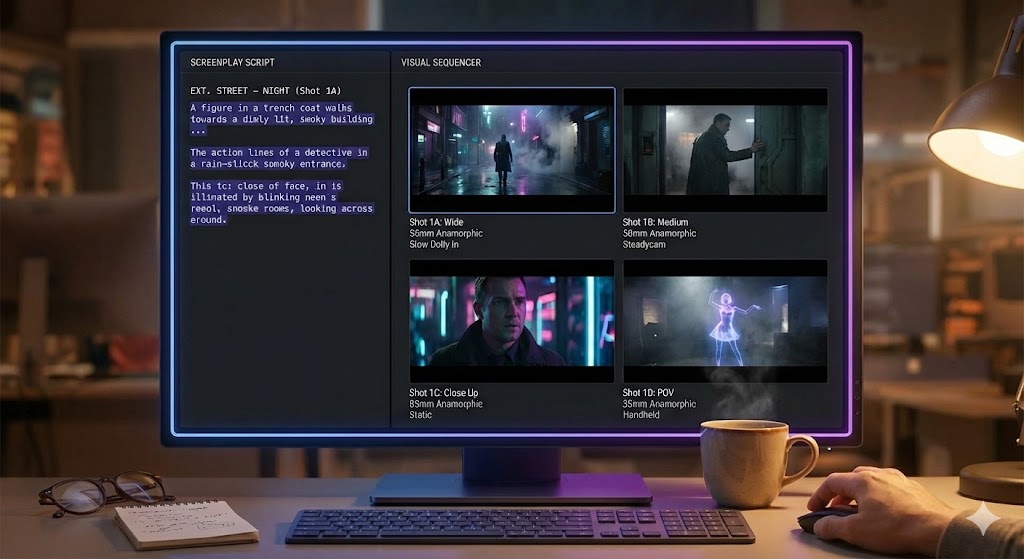
The Failure Mode That's Easy to Miss
Most of what people worry about with AI-generated images is the obvious stuff: a wrong number of fingers, a face that looks slightly off in a close-up. Those are real limitations, but they're easy to spot, and a glance catches them. The failure mode that actually causes problems on a shoot is quieter than that — it's character drift, where the same named character shows up looking meaningfully different from one panel to the next, and nobody notices until the frames are already being used to plan a scene.
This is the specific limitation we flagged in our guide to storyboarding when you can't draw: an AI-generated board is a prototype, not a locked reference, and character consistency across frames is one of the specific places that prototype status shows up. This post is about naming that failure mode precisely and giving you a concrete check before a board goes anywhere near a call sheet.
Why Character Drift Happens
An image generator doesn't hold a persistent model of "this specific character" across separate generations the way an illustrator holds a character in their head across a whole sequence. Each frame is generated fresh from a prompt and whatever reference the tool is given, and small variations in phrasing, angle, or lighting can nudge hair length, build, wardrobe detail, or age between one panel and the next. Ask for the same character in a wide shot and then a close-up and there's no built-in guarantee the system renders the same person — it renders something plausible for each request independently.
This isn't a bug so much as an honest consequence of how these tools currently work, and it's a big part of why an AI storyboard generator is a prototyping tool, not a finished deliverable. It's worth knowing the shape of the problem rather than just the fact of it, because the shape tells you where to look.
Where Drift Shows Up Most
- Hair: length, color, and style are the most common drift point between frames of the same character.
- Build and age: a character can read subtly older, younger, heavier, or leaner from panel to panel.
- Wardrobe: color and garment details shift even when the scene's continuity calls for the same outfit throughout.
- Distinguishing features: scars, glasses, facial hair, and props tied to a character are the easiest details to lose entirely in a new generation.
Where Drift Actually Costs You
Drift doesn't matter equally everywhere. A single establishing frame used to pitch a producer on a scene's mood doesn't need perfect continuity — nobody is comparing it to another panel. The risk concentrates specifically in multi-shot sequences meant to represent continuous action: the same conversation, the same chase, the same character crossing multiple setups within one scene.
A crew reading a board as a continuity reference — wardrobe, hair, props between setups — can be actively misled by drifted panels, not just unimpressed by rough art. That's a different and more expensive kind of mistake than a panel that simply looks unfinished.
It also compounds with cast size. A two-hander has one relationship to track for drift. A scene with four or five named characters across a dozen panels has that many independent chances for something to slip, which is exactly the kind of scene covered in our guide to storyboarding a dialogue scene with three or more speakers — more people in frame means more places for the board to quietly disagree with itself.
The Pre-Shoot Consistency Checklist
None of this requires special tooling to catch — it requires looking at the board the right way before anyone treats it as settled. Run this pass on any multi-panel sequence before it leaves pre-production.
Line Up Every Panel Featuring the Same Character
Pull every frame a named character appears in side by side, not scattered through the full board. Drift is obvious in a lineup and easy to miss one panel at a time.
Check Hair and Build First
These are the highest-frequency drift points. If they hold across the lineup, the rest of the check goes faster.
Verify Wardrobe Against the Scene's Actual Continuity
Confirm the outfit matches what the scene calls for, not just that it's consistent frame to frame — a board can drift into agreement on the wrong outfit.
Confirm Distinguishing Features Survive Every Angle
Scars, glasses, and character-specific props are the details most likely to vanish in a wide shot or a new angle. Check them at every size, not just the close-up.
Where a panel fails the check, regenerate it against a tighter reference rather than accepting a close-enough frame, or fall back to a plain shot-description note for that one panel — the same rung-two move covered in the pillar post — rather than letting an inconsistent image stand in as the record. Anywhere the drift can't be resolved cheaply and the panel genuinely has to be trusted — a look a costume department is building around, a continuity reference a script supervisor will hold the whole shoot to — that's the signal to hand the frame to a human artist instead of the generator.
Treat the Board as a Draft, Check It Like One
Character drift isn't a reason to avoid AI storyboards — it's a reason to look at them the way you'd look at any first draft: assume something slipped, and check the specific places it's likely to have slipped before you build a plan on top of it. Hair, build, wardrobe, and distinguishing features, checked across every panel a character appears in, catches almost all of it. The frames are still the fastest way to get a scene in front of a room. They just aren't the final continuity document, and treating them as one is the actual mistake — not the drift itself.
Draft Fast, Then Check the Board
ShotList.Studio generates storyboard frames from your shot list and lets you tweak and regenerate any panel that drifts — a fast draft, checked the way this post describes.
See the tool